
A Mac OS X Lion launchpad for Windows
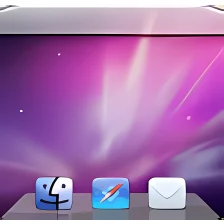
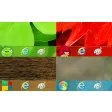
WinLaunch is a simple, free application that gives you a sleek Mac OS X Lion launchpad for your Windows desktop.
When you download the WinLaunch file, you'll see that there are versions supporting both 32 and 64-bit incarnations of Windows, which is a nice touch. When you open up the relevant version, you'll see a fairly lengthy welcome screen - read it, as it tells you how to access the app. The easiest method is by dragging WinLaunch.exe to your taskbar and customizing it from there.
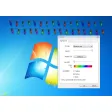
You can then activate the app by clicking. Pressing 'F' will give you access to a windowed version where you can configure and tweak WinLaunch's settings. Adding apps and folders is as easy as dragging and dropping into the window. After that, just open the settings menu to change how the launchpad responds, appears and activates.
WinLaunch is a fun bit of functionality that could be fairly useful if you manage to customize it right. It's not exactly easy on system resources, however, so you'll need a powerful machine, especially if you frequently use other resource-heavy apps. We also found the initial welcome screen hard to open once we had closed it!
WinLaunch is a slick app that gives you access to a Mac-style lauchpad - its useful and looks good, so check it out.
Changed iconReorganized the settings (Design / Background)Improved left click scrollingFixed bg positioningAdded the background split effectMade improvements in memory managementAdded options to customize animation timingAdded icon darkening effect on clickFixed folder renaming issue (close instead of rename)Fixed blurriness issue (although you might need to manually adjust the icon size to fit your screen!)Made some adjustments to the default themeChanged minimum folder items to 2Added InstantMove mode(Lion like)Added TabletMode option (Settings / General / Controls), The default now is instantChanged Escape mapping (ESC Hides WinLaunch, CTRL + ESC closes WinLaunch)Changed FadeIn animation when background image is usedChanged Launch animationAdded option to show the welcome screen again (in the About section)Added option to block WinLaunch when a fullscreen app is running (Activation/Misc)Added Synaptics activation and scrolling
Changes
Changed iconReorganized the settings (Design / Background)Improved left click scrollingFixed bg positioningAdded the background split effectMade improvements in memory managementAdded options to customize animation timingAdded icon darkening effect on clickFixed folder renaming issue (close instead of rename)Fixed blurriness issue (although you might need to manually adjust the icon size to fit your screen!)Made some adjustments to the default themeChanged minimum folder items to 2Added InstantMove mode(Lion like)Added TabletMode option (Settings / General / Controls), The default now is instantChanged Escape mapping (ESC Hides WinLaunch, CTRL + ESC closes WinLaunch)Changed FadeIn animation when background image is usedChanged Launch animationAdded option to show the welcome screen again (in the About section)Added option to block WinLaunch when a fullscreen app is running (Activation/Misc)Added Synaptics activation and scrolling






















User reviews about WinLaunch
Have you tried WinLaunch? Be the first to leave your opinion!